
You type your website's address into the browser and get an error, a blank white page, or a spinner that never stops. First thought: my site is down. Second thought: is everyone seeing this, or just me?
That distinction decides whether you have 5 minutes to react or 5 hours. Here are five ways to check whether your website is actually down — from the fastest (but least reliable) to the one that alerts you before a customer ever notices.
1. Check from a different network and device
Before you panic, rule out the simplest cause: the problem might be on your end. Try opening the site:
- from your phone on mobile data (not Wi-Fi),
- in a private/incognito window — this rules out a stale cached error,
- by asking a colleague or friend to check from a different location.
If the site works for others but not for you, the culprit is usually your router, your ISP, or a local DNS issue. If it's down everywhere — keep reading.
2. Use a "is it down for everyone or just me" tool
There are plenty of free online tools that ping your site from several locations around the world and tell you plainly: "up" or "down from X locations". It's a quick way to confirm the problem isn't just yours.
The downside: this kind of check is manual and only valid for that exact moment. It won't tell you the site went down 5 minutes ago, or that it briefly "blipped" overnight.
3. Check the HTTP status code
Whenever a website responds, it returns an HTTP status code. That code tells you a lot about the nature of the problem:
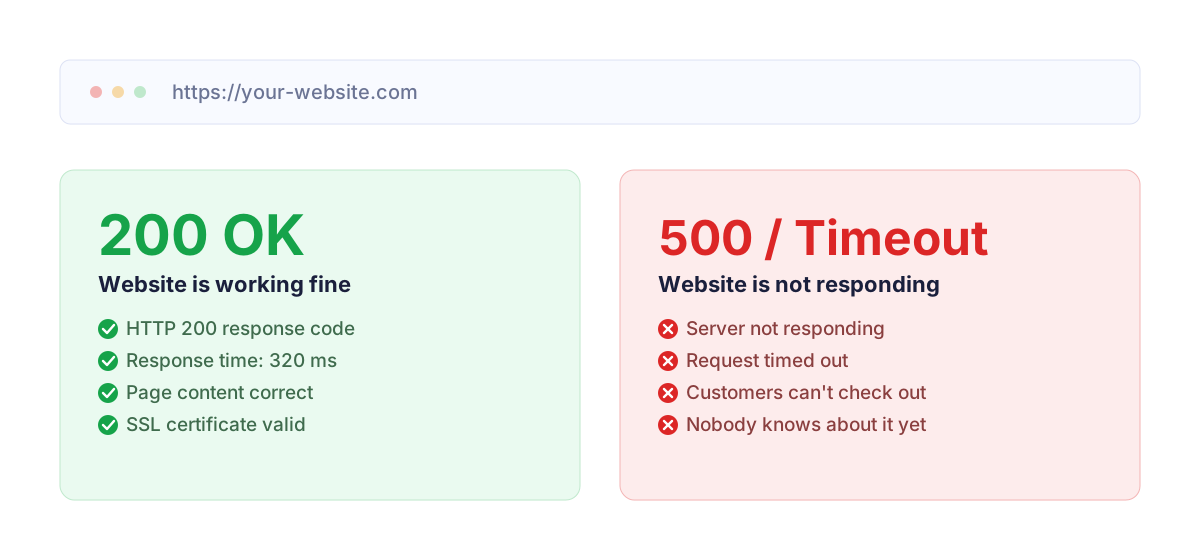
- 200 OK — everything is working correctly.
- 301 / 302 — a redirect (e.g. to another address or to HTTPS).
- 403 Forbidden — access blocked, often by a hosting firewall or incorrect file permissions.
- 404 Not Found — the address doesn't exist (but the server is up).
- 500 Internal Server Error — a server-side error, most often in the application code (e.g. a WordPress plugin or a PHP error).
- 502 / 503 / 504 — the server is overloaded, unreachable, or in maintenance mode.
You can check the status code with an online HTTP header checker, or with curl -I https://yourdomain.com in a terminal if you have console access.
4. Check your hosting panel and error logs
If the status code is 500, or the site doesn't respond at all, the next step is your hosting control panel:
- check the PHP error log — it will often point straight to the broken plugin or file,
- check resource usage — have you hit a CPU, RAM, or process limit,
- check the database status — "Error establishing a database connection" is one of the most common causes of WordPress outages (more on that in WordPress Site Down at Night? What to Do).
5. Automated 24/7 uptime monitoring
All of the methods above share one weakness: you have to run them manually, after you already suspect something is wrong. But what if your site goes down at 3 a.m., on a weekend, or while you're on holiday without your laptop?
That's where automated monitoring comes in. Here's how it works:
- an external server checks your site every few minutes (e.g. every 5 minutes — almost 300 checks a day),
- it checks not just whether the site responds, but also the HTTP status code, response time, SSL certificate, and domain expiry,
- if something's wrong, it sends an alert — by email, SMS, or Telegram — before a customer even has a chance to complain.
The difference is simple: instead of finding out about an outage from a customer hours later, you get an SMS within minutes of it happening. How much an hour of downtime actually costs an online store is a good way to think about why uptime deserves automated monitoring rather than the occasional manual check.
Check your site every 5 minutes — automatically
MonitorWWW.com checks your website's availability, SSL, domain and security 24/7 and sends an SMS, email or Telegram alert the moment something stops working.
Create a free accountSummary
Manual checks are useful once you already suspect a problem — but they can't replace monitoring that watches your site while you're asleep, focused on something else, or on vacation. Combining quick manual diagnosis with automated alerts is the best way to make sure a website outage costs you minutes, not hours.